> For the complete documentation index, see [llms.txt](https://kb.linknlink.com/isg/llms.txt). Markdown versions of documentation pages are available by appending `.md` to page URLs; this page is available as [Markdown](https://kb.linknlink.com/isg/advanced-features/home-assistant/add-devices-in-home-assistant/ha-official-integrations.md).
# HA Official Integrations
The unified path for adding HA Integrations is as follows:
1. First, let's access the HA interface. The method to enter HA can be referred to [here](/isg/advanced-features/home-assistant/accessing-home-assistant.md)
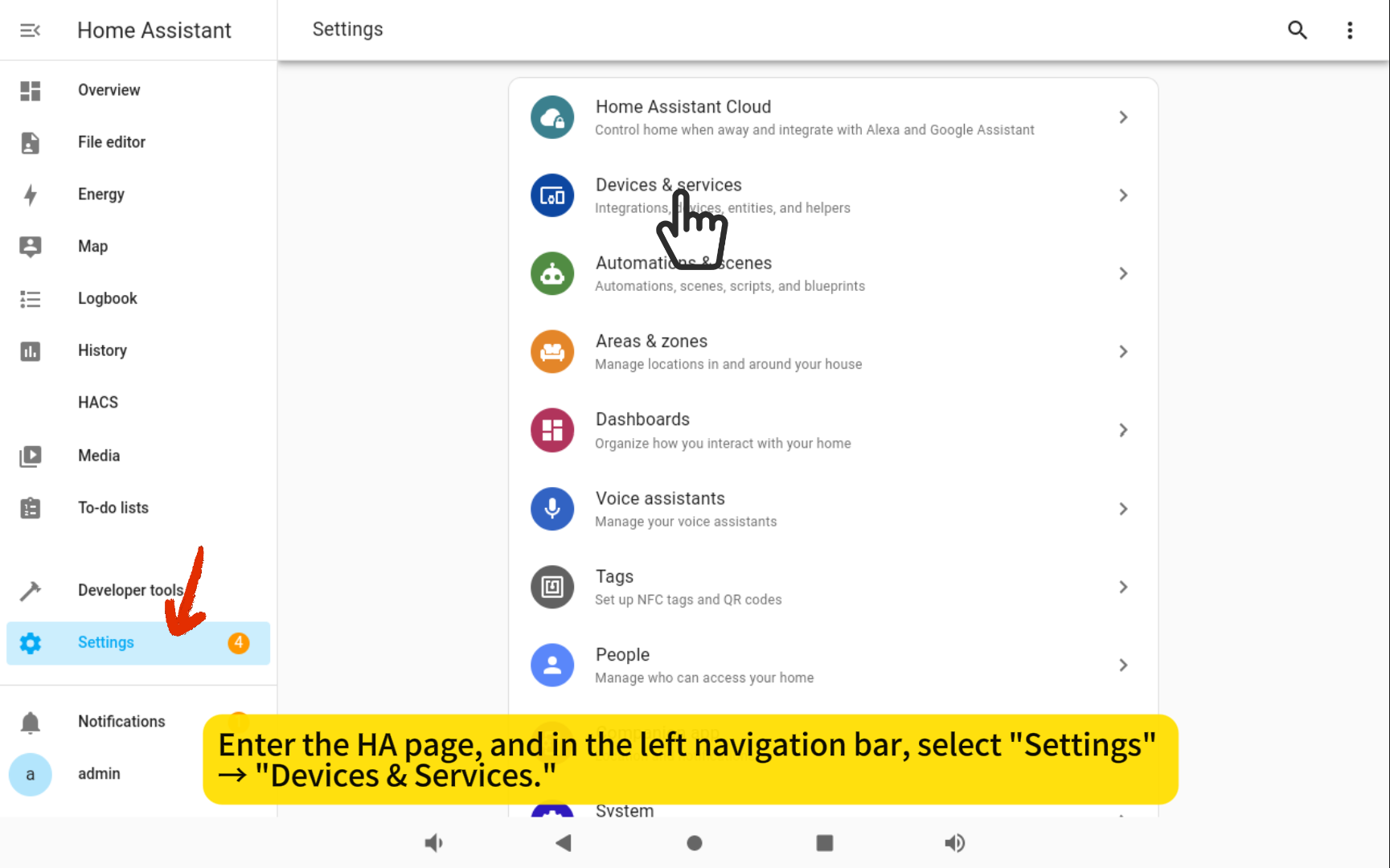
2. In the left navigation bar, select "Settings" → "Devices & Services."
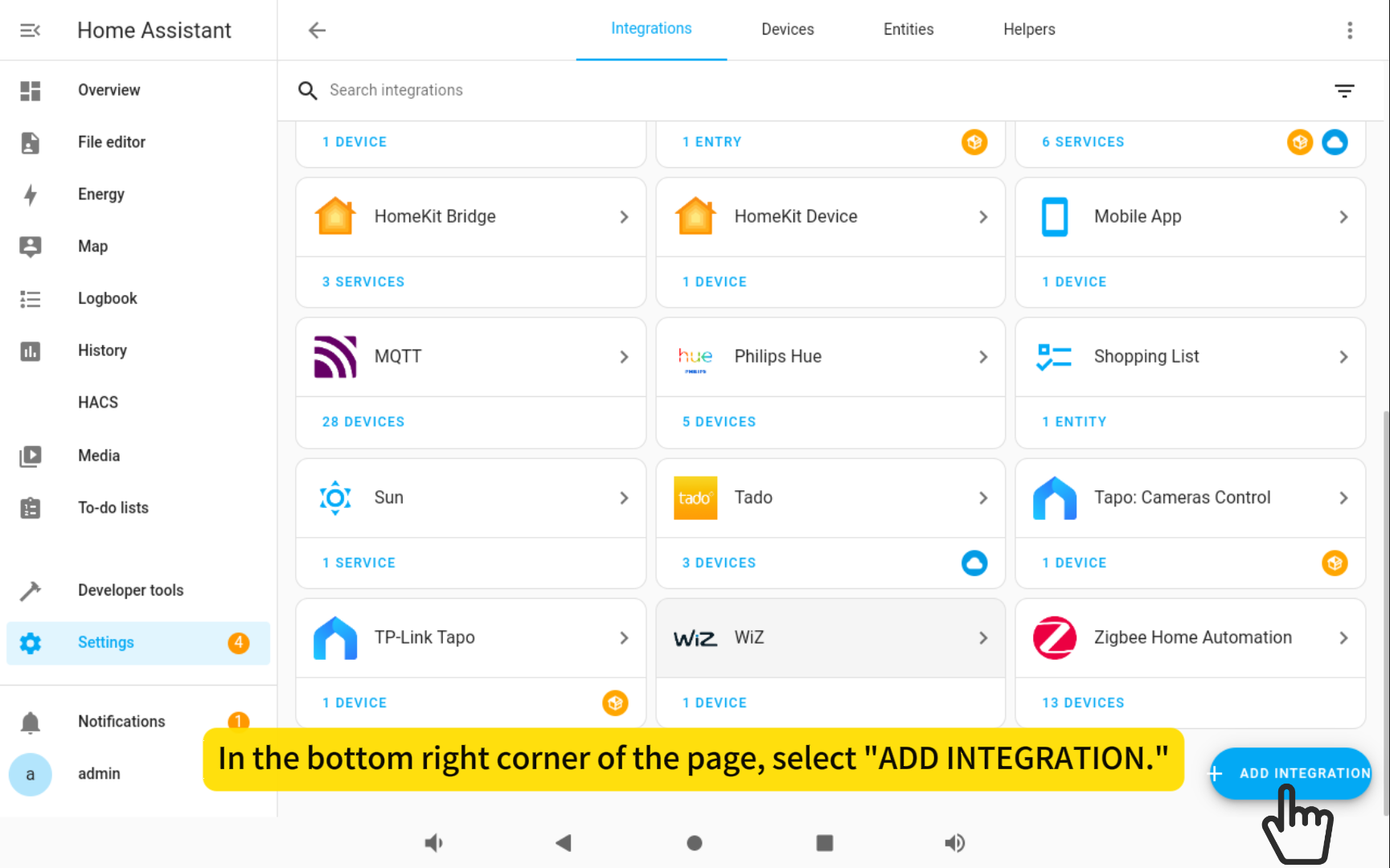
3. In the bottom right corner of the page, select "ADD INTEGRATION."