> For the complete documentation index, see [llms.txt](https://kb.linknlink.com/isg/llms.txt). Markdown versions of documentation pages are available by appending `.md` to page URLs; this page is available as [Markdown](https://kb.linknlink.com/isg/using-isg/add-ons/optional-utility-add-ons/node-red.md).
# Node-RED
Node-RED is an **open-source, flow-based tool** that lets you connect devices, APIs, and services with a simple drag-and-drop interface. It’s widely used for **home automation, IoT projects, data processing, and dashboards**, making it easy to integrate hardware and software without heavy coding.
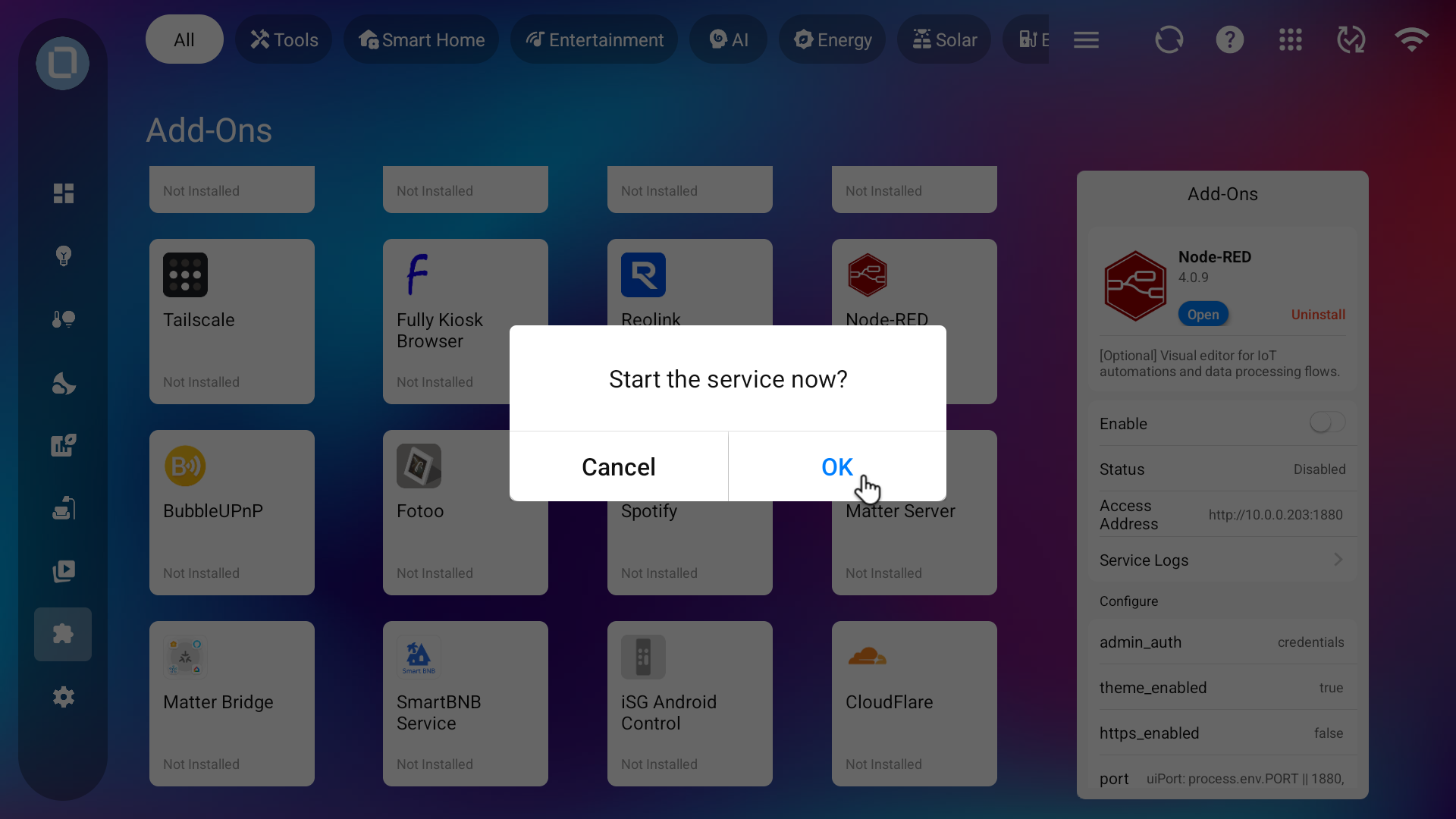
This add-on is optional and not installed by default. To use it, go to the **Add-On** section and click **Install** to set up the service.
Please wait 5-8 minutes for the installation to complete. Once installed, check if the service is enbled. If not, click the switch next to **Enable** to activate the service.
After the service is enabled, you can access it from a browser on the WLAN using the URL `http://IP:1880` (the exact address will be shown on the add-on settings page).