# Add Matter Devices

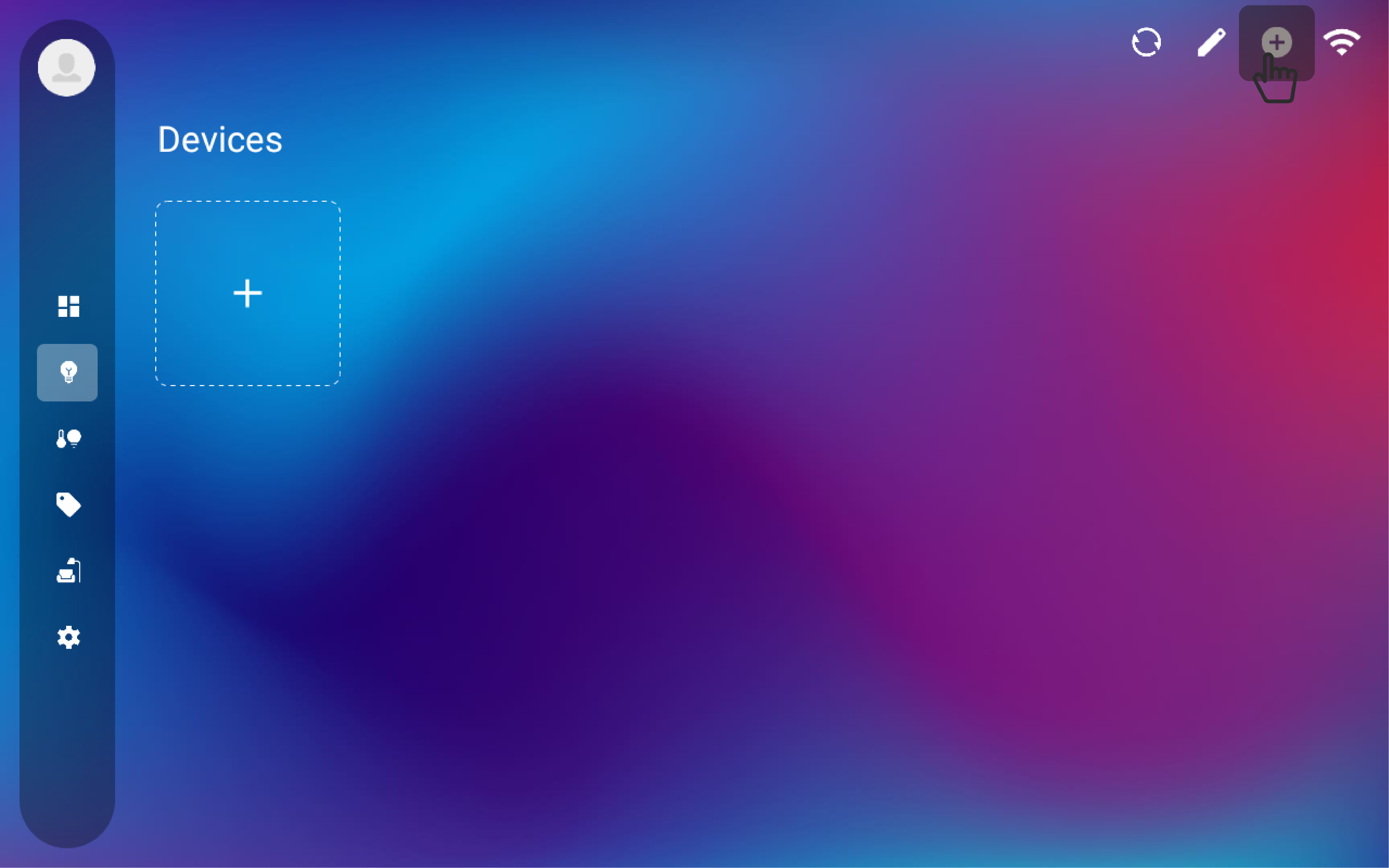
1. Click the left edge of the screen, select "Devices" from the menu, and then click the "+" in the upper right corner to add a device.

<figure><img src="https://1561436000-files.gitbook.io/~/files/v0/b/gitbook-x-prod.appspot.com/o/spaces%2FpCtFemS511EXKjNnjKqg%2Fuploads%2FR0VrJuOeBhCvRUqj24qq%2F026.png?alt=media&#x26;token=22ab96e0-c0b0-4bb1-a392-fde7660f824d" alt=""><figcaption><p>add a device</p></figcaption></figure>

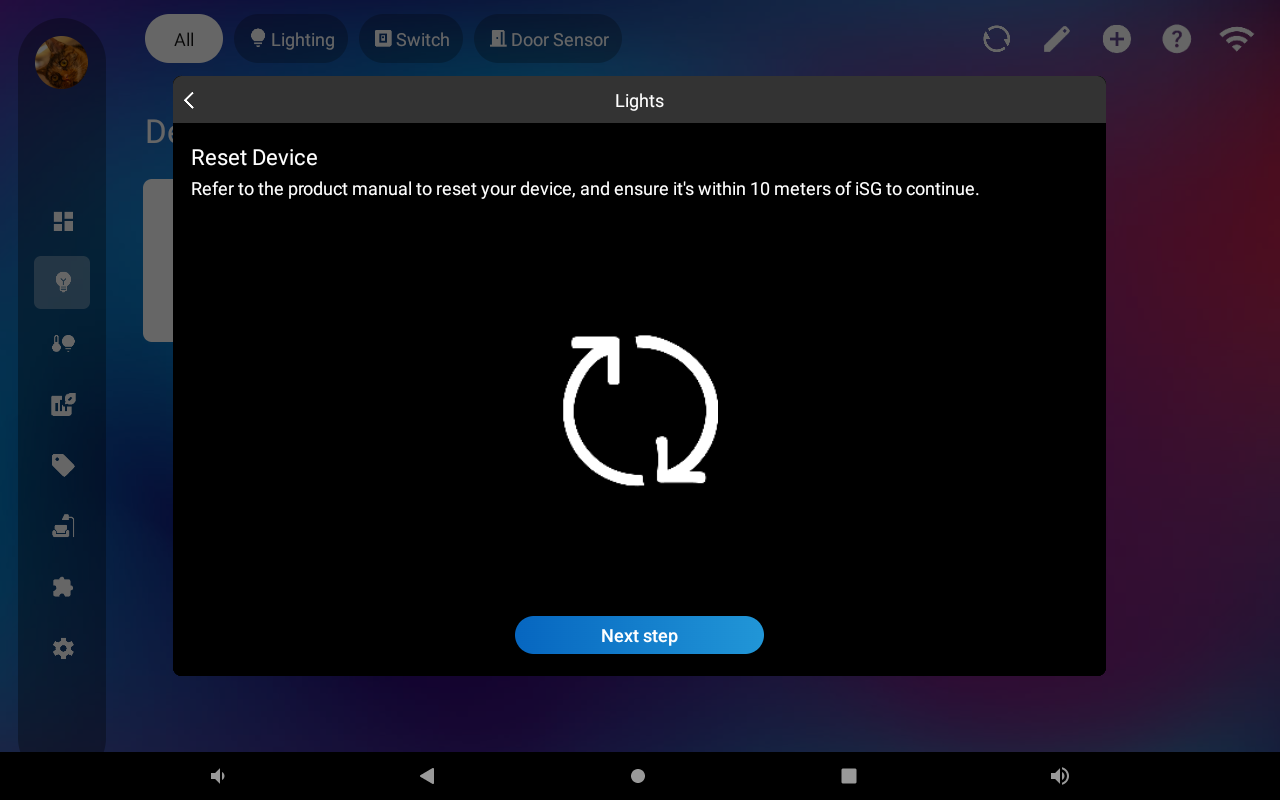
2. In the pop-up window, select the "matter" brand, and then choose the corresponding device type based on your matter device.
<figure><img src="https://1561436000-files.gitbook.io/~/files/v0/b/gitbook-x-prod.appspot.com/o/spaces%2FpCtFemS511EXKjNnjKqg%2Fuploads%2FwE4TYezAyhHTNbqAgaiR%2F048.png?alt=media&#x26;token=739e30c5-96b6-42e5-b5d7-79e4861e5859" alt=""><figcaption></figcaption></figure>

<figure><img src="https://1561436000-files.gitbook.io/~/files/v0/b/gitbook-x-prod.appspot.com/o/spaces%2FpCtFemS511EXKjNnjKqg%2Fuploads%2FxessSCSBIR6Z6fgY5XDw%2F052.png?alt=media&#x26;token=0e6afd8d-d161-4d4b-a1b3-1e2daddac955" alt=""><figcaption><p>choose device type</p></figcaption></figure>

<figure><img src="https://1561436000-files.gitbook.io/~/files/v0/b/gitbook-x-prod.appspot.com/o/spaces%2FpCtFemS511EXKjNnjKqg%2Fuploads%2FdUIA4yiU87NR8grS5mfB%2F053.png?alt=media&#x26;token=31007899-b178-4526-a990-7ac4e686b148" alt=""><figcaption></figcaption></figure>

<figure><img src="https://1561436000-files.gitbook.io/~/files/v0/b/gitbook-x-prod.appspot.com/o/spaces%2FpCtFemS511EXKjNnjKqg%2Fuploads%2FM1zpcoME5cO2Oo288wuh%2F054.png?alt=media&#x26;token=f98b8893-d21c-4011-9759-0fda3c6a48d7" alt=""><figcaption></figcaption></figure>

<figure><img src="https://1561436000-files.gitbook.io/~/files/v0/b/gitbook-x-prod.appspot.com/o/spaces%2FpCtFemS511EXKjNnjKqg%2Fuploads%2FEXWsjOCJi9oQ5Yh5n1Y3%2F055.png?alt=media&#x26;token=8e0eca14-25e5-474b-8876-9a4a6426f22b" alt=""><figcaption></figcaption></figure>