> For the complete documentation index, see [llms.txt](https://kb.linknlink.com/kb/llms.txt). Markdown versions of documentation pages are available by appending `.md` to page URLs; this page is available as [Markdown](https://kb.linknlink.com/kb/works-with-3rd-parties/how-to-link-devices-to-alexa-and-google-home.md).
# How to Link Devices to Alexa and Google Home
This guide explains how to connect your LinknLink devices to **Amazon Alexa** and **Google Home** using the **LinknLink App**, allowing you to control your devices with voice commands.
### Before You Start
Please make sure that:
* Your LinknLink device has been successfully added to the **LinknLink App**
* The device is **online**
* Your phone is connected to the internet
* You have an active **Amazon Alexa** or **Google account**
### Link LinknLink to Amazon Alexa (from LinknLink App)
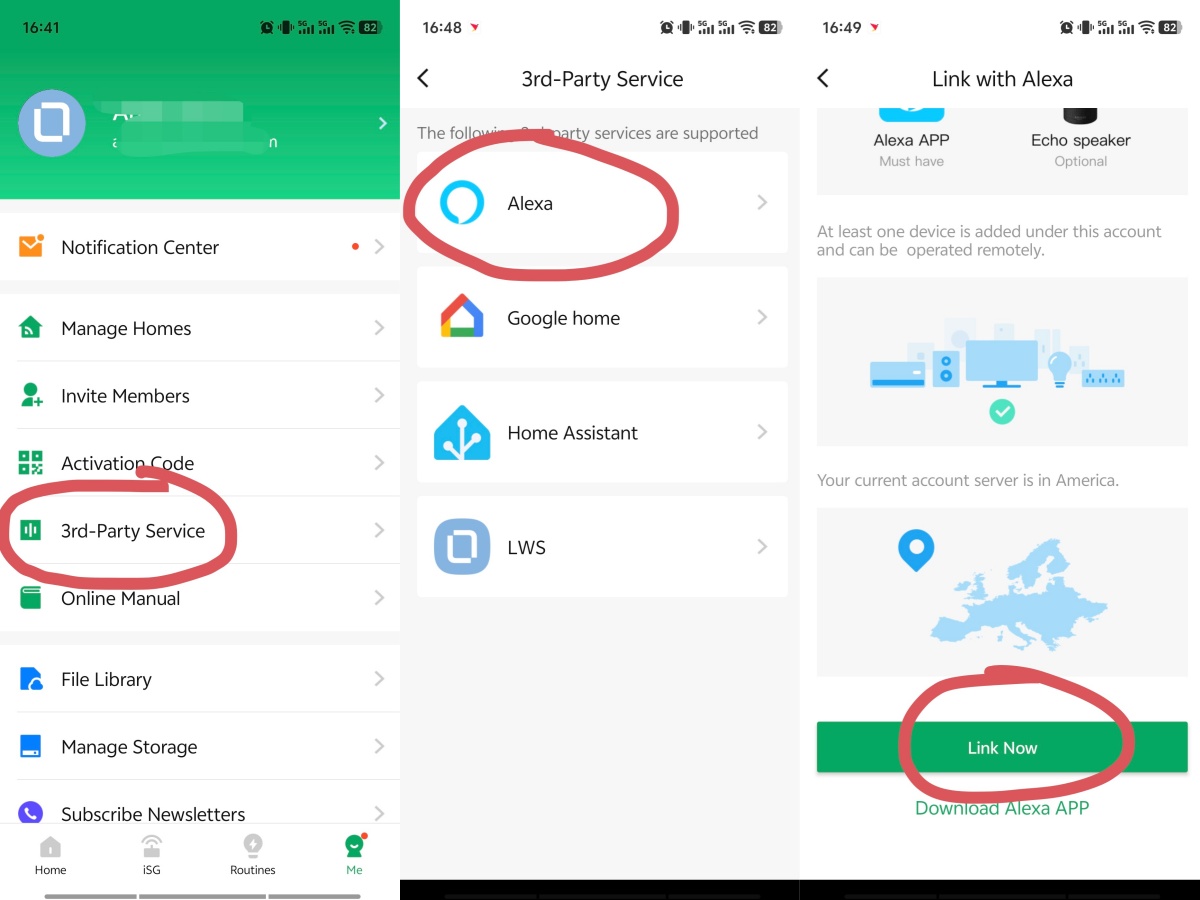
1. Open the **LinknLink App**
2. Go to **Me** → **3rd Party Services**
3. Click **Alexa**
4. Scroll down and click **Link Now**
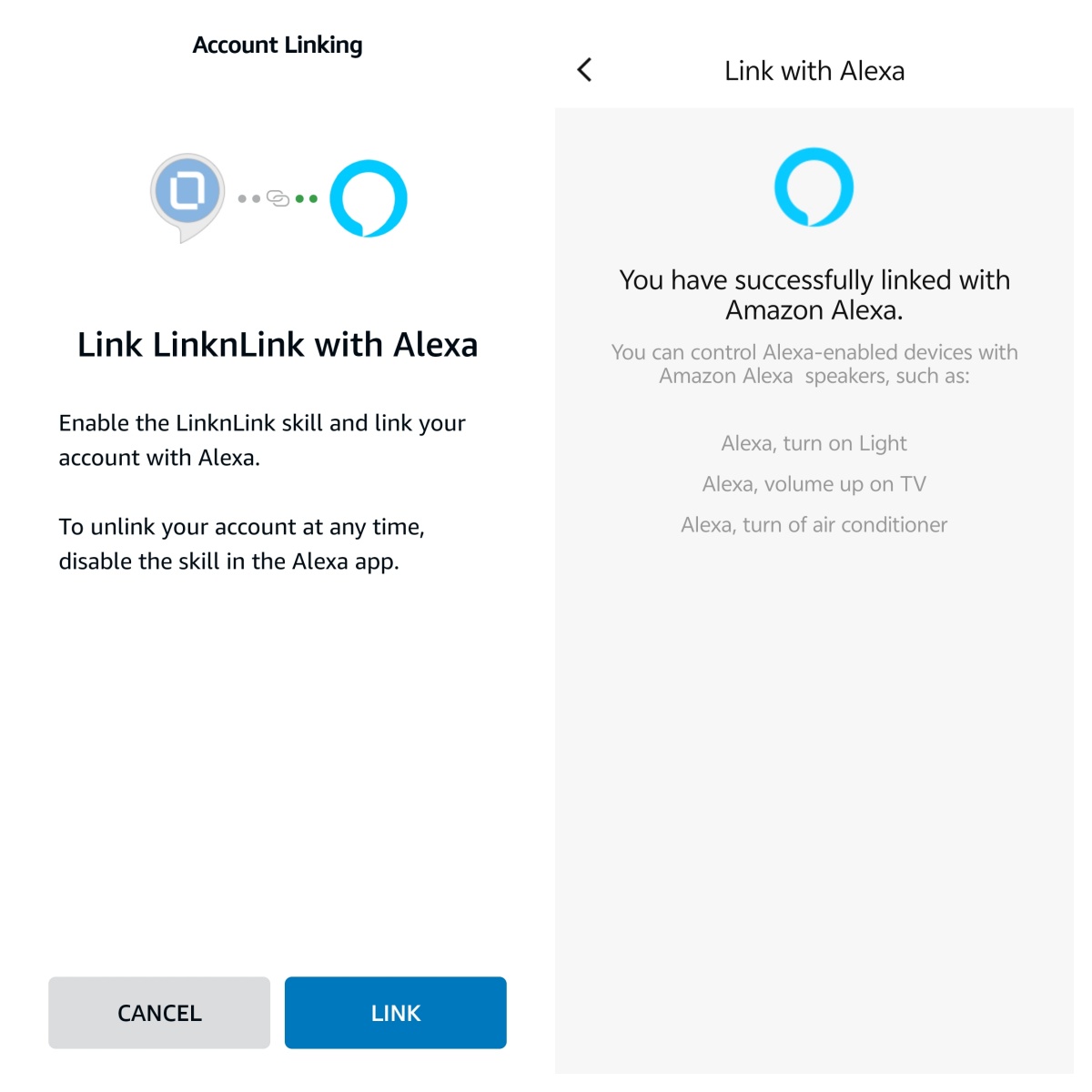
You will be redirected to the **Alexa App** or the Alexa login page.
5. Click **LINK** to authorize Alexa to access your LinknLink devices
After linking, come back to Alexa App and Alexa will automatically start discovering your devices.
{% hint style="info" %}
If the Link Now button is in grey (not clickable), please try the alternative method: [#link-linknlink-to-amazon-alexa-from-alexa-app](#link-linknlink-to-amazon-alexa-from-alexa-app "mention")
{% endhint %}
***
### Link LinknLink to Google Home (from LinknLink App)
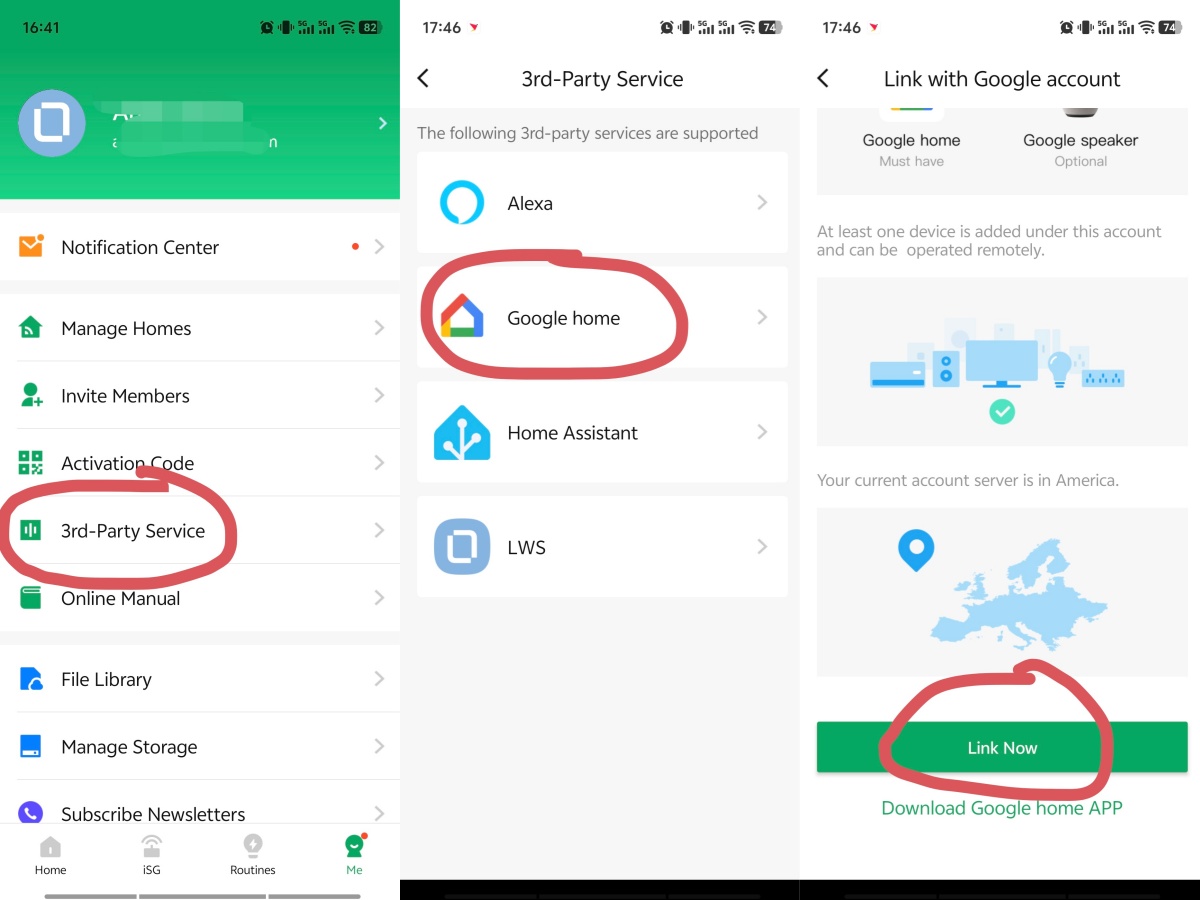
1. Open the **LinknLink App**
2. Go to **Me** → **3rd Party Services**
3. Click **Google Home**
4. Scroll down and click **Link Now**
You will be redirected to the **Google Home App**.
5. Click **Continue** to authorize Alexa to access your LinknLink devices
Your devices will then sync automatically to Google Home.
***
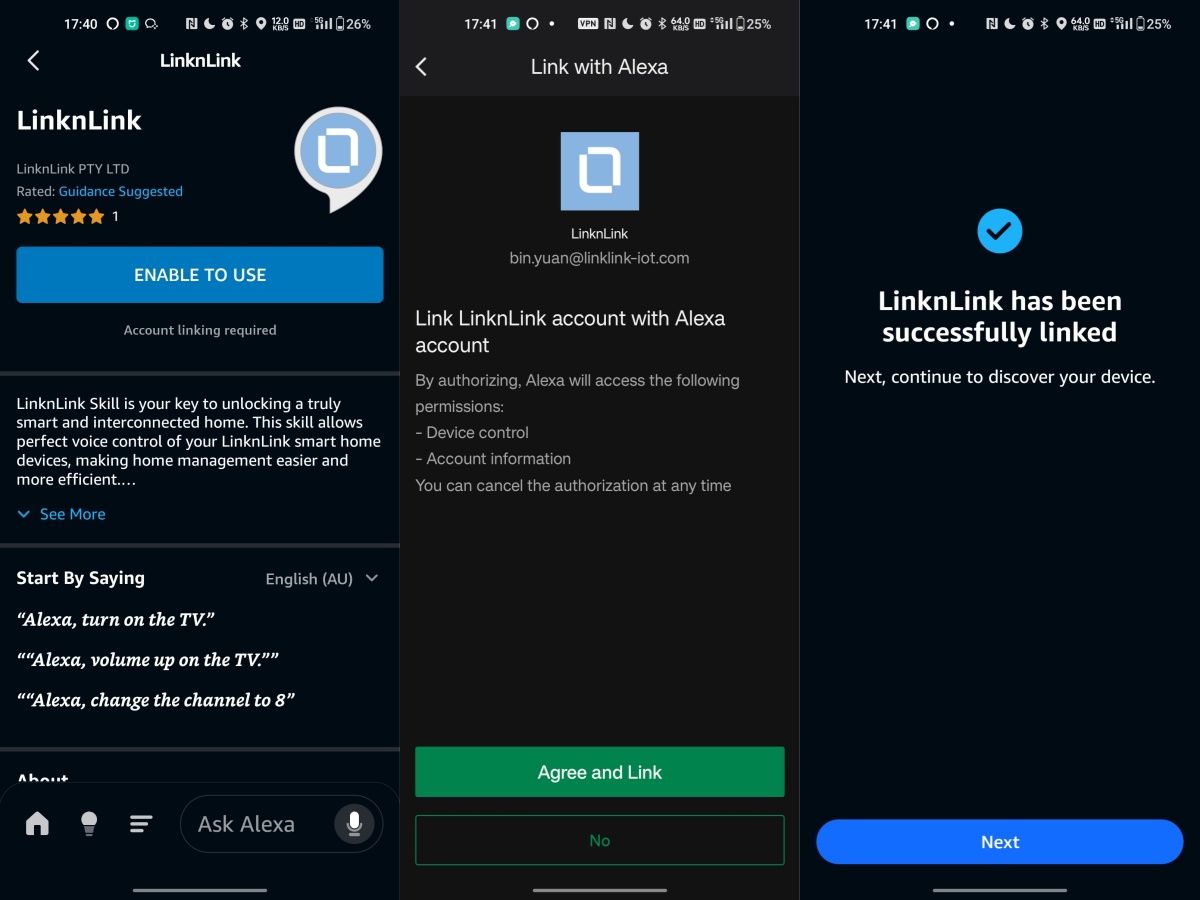
### Link LinknLink to Amazon Alexa (from Alexa App)
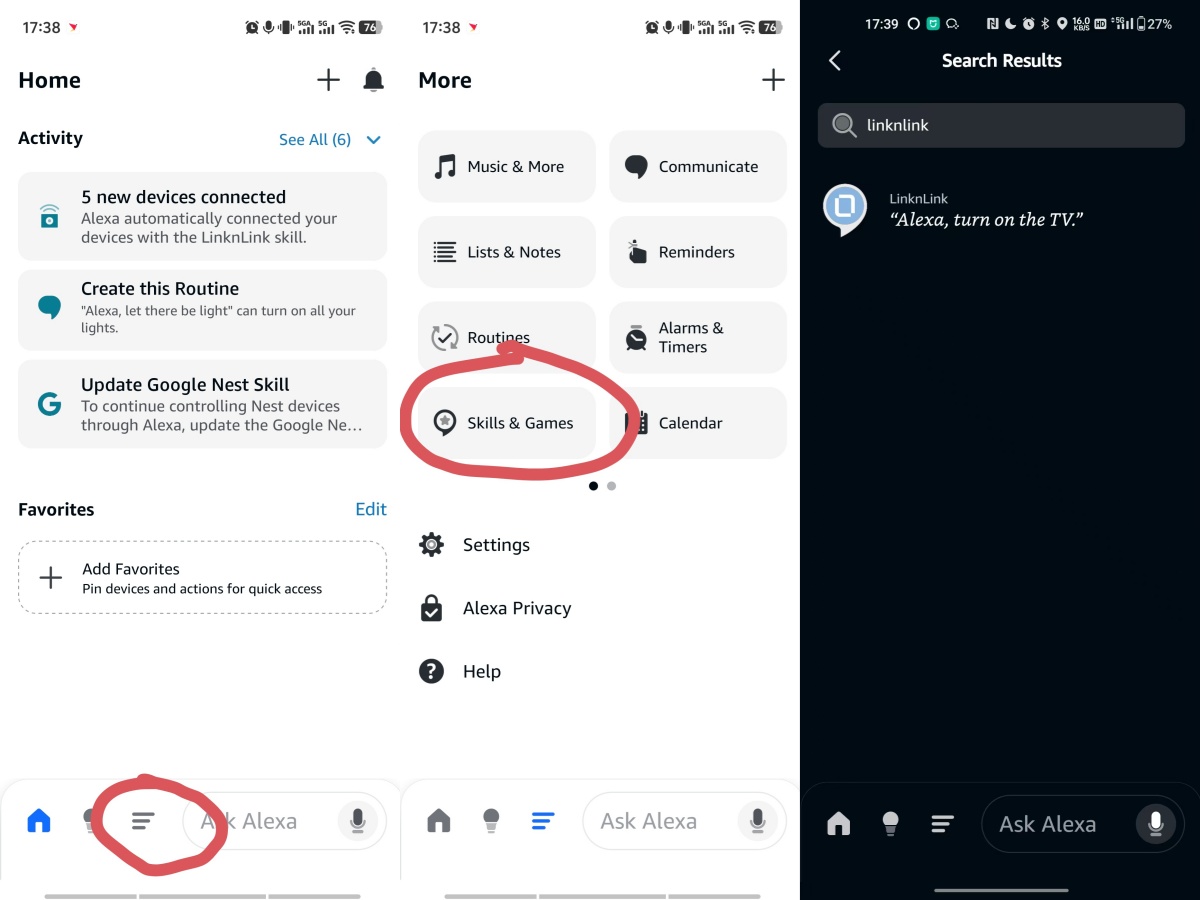
1. Open the **Alexa App**
2. Click **Menu** → **Skills & Games**
3. Search **LinknLink** skill
4. Click **ENABLE TO USE** and click **Agree and Link** on next page
***
### Notes
* If devices do not appear, try **refreshing** or **restarting the Alexa / Google Home App**
### Tutorial Video
{% embed url="" %}